

Story Highlights
- Steam and Microsoft license games to accounts rather than selling physical copies.
- Game Pass and PS Plus access lasts only during active membership and availability.
- Region locks match codes and accounts rather than your actual physical location.
A game purchase can look final the moment a download begins, yet the rights attached to it are often more specific than the word “buy” suggests. Digital storefronts commonly grant access under their own terms, so the key point is understanding the form that access takes and where it can be used. That distinction also keeps a subscription download from being mistaken for a lasting purchase.
It also keeps neighboring gaming topics in perspective. Guides to best games apps to make money cover gaming-related digital rewards, which is a different question from what a game purchase actually grants: the right to use particular software through a specified service or account.
Licenses, Entitlements, And Subscriptions
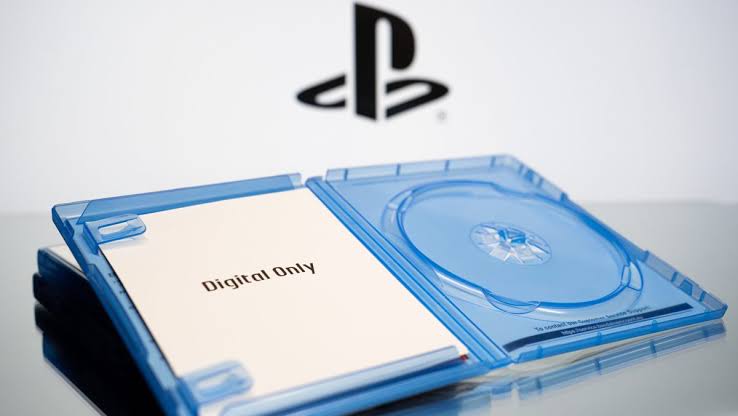
Ownership of a physical object and a digital license are different ideas. Steam describes its games and related content as licensed, not sold, for personal and non-commercial use, with access generally tied to a Steam account and, in some cases, an internet connection or its client. Microsoft treats digital goods the same way, and can apply account, device, territory, and license-refresh conditions on top.
An entitlement is the record that lets an account download or use content. A redemption code or activation instructions may create that entitlement, but the product type sets its scope. A full game, a DLC package, a subscription, a gift card, and a currency top-up all represent different forms of access, not interchangeable rights.
Subscription libraries work differently again. PC Game Pass access lasts while the membership stays active and the selected title remains in its library. PlayStation Plus catalog titles are playable for as long as the relevant membership is active, though titles can leave the catalog, and associated DLC access can end too if membership lapses or the base game leaves.
Region Labels Are Compatibility Details

Region locks are best understood as compatibility rules between a code, an account, and a storefront, not a restriction based on where a player physically is. PlayStation voucher codes have to match the country or region assigned to the PlayStation account, and that account region can’t be changed after creation. Nintendo works the same way, requiring download codes to match the country or region configured for both the Nintendo Account and the eShop.
That’s why a broad regional label is useful but not a universal promise. Country exceptions can still apply, so the product page and the account’s configured region are what actually matter here. It’s a fit check, not an assessment of whether the code itself is valid.
Platform and edition labels deserve the same attention. A PC key, a console code, a DLC package, a deluxe edition, and a base game can each carry distinct activation requirements. Matching the listed platform, edition, and region to the intended account is what makes a purchase fit the access being sought.
Finding Low-Cost Steam Games With Clarity
Cheap Steam games can come from Steam sales, bundles, or digital marketplaces that list discounted keys. Eneba is one such marketplace, where verified sellers offer digital products and product pages list platform, region, activation rules, and redemption details.
Those labels help buyers pick a key that actually matches their Steam account and configured region. Code access is digital, so the focus stays on the listed entitlement rather than a shipped disc.
A download button can hide meaningful differences in access, yet the listing itself tells a clearer story. Reading the product label as part of the purchase, platform, edition, region, and access model, is what keeps that download from turning into a surprise later.
Thanks! Do share your feedback with us. ⚡
How can we make this post better? Your help would be appreciated. ✍


 Join Our Community